



Your Guide to Care, Anywhere
MyBookmarkPortal
Welcome to Bookmark Medical’s patient portal, powered by Athena Health. If you’re currently receiving care from a Bookmark Medical provider, you can access your new portal, MyBookmarkPortal, below.


Benefits
Patient Portal Features
Pay Your Bills
With multiple options for payment, you can pay your balance or co-payment in minutes from your computer or mobile phone.
Message Your Care Team
Send a message to your provider, view your test results, and stay on top of your health information.
Online Check In
Use the athenaPatient mobile app to check in early and complete your pre-visit tasks.
Online Appointment Scheduling
Coming SoonSave time by booking online. This feature is coming soon.
Portal Links
Access MyBookmarkPortal
MyBookmarkPortal is available for patients receiving care from a Bookmark Medical provider. To ensure you receive the right care, please select the appropriate patient portal based on your location. Each state has its own portal link, which you can find below.
AZ Patient Portal
If you are a Bookmark Medical patient in Arizona, please access your MyBookmarkPortal to log in.
MA Patient Portal
If you are a Bookmark Medical patient in Massachusetts, please access your MyBookmarkPortal to log in.
NH Patient Portal
If you are a Bookmark Medical patient in New Hampshire, please access your MyBookmarkPortal to log in.
TX Patient Portal
If you are a Bookmark Medical patient in Texas, please access your MyBookmarkPortal to log in.

Patient Support
Need assistance with your MyBookmarkPortal?
Read our FAQs or get connected to our support team. Contact Bookmark’s Patient Portal Helpdesk by calling (833) 746-8292 or emailing portal@bookmarkmed.com.

24/7 Access
Download the athenaPatient Mobile App
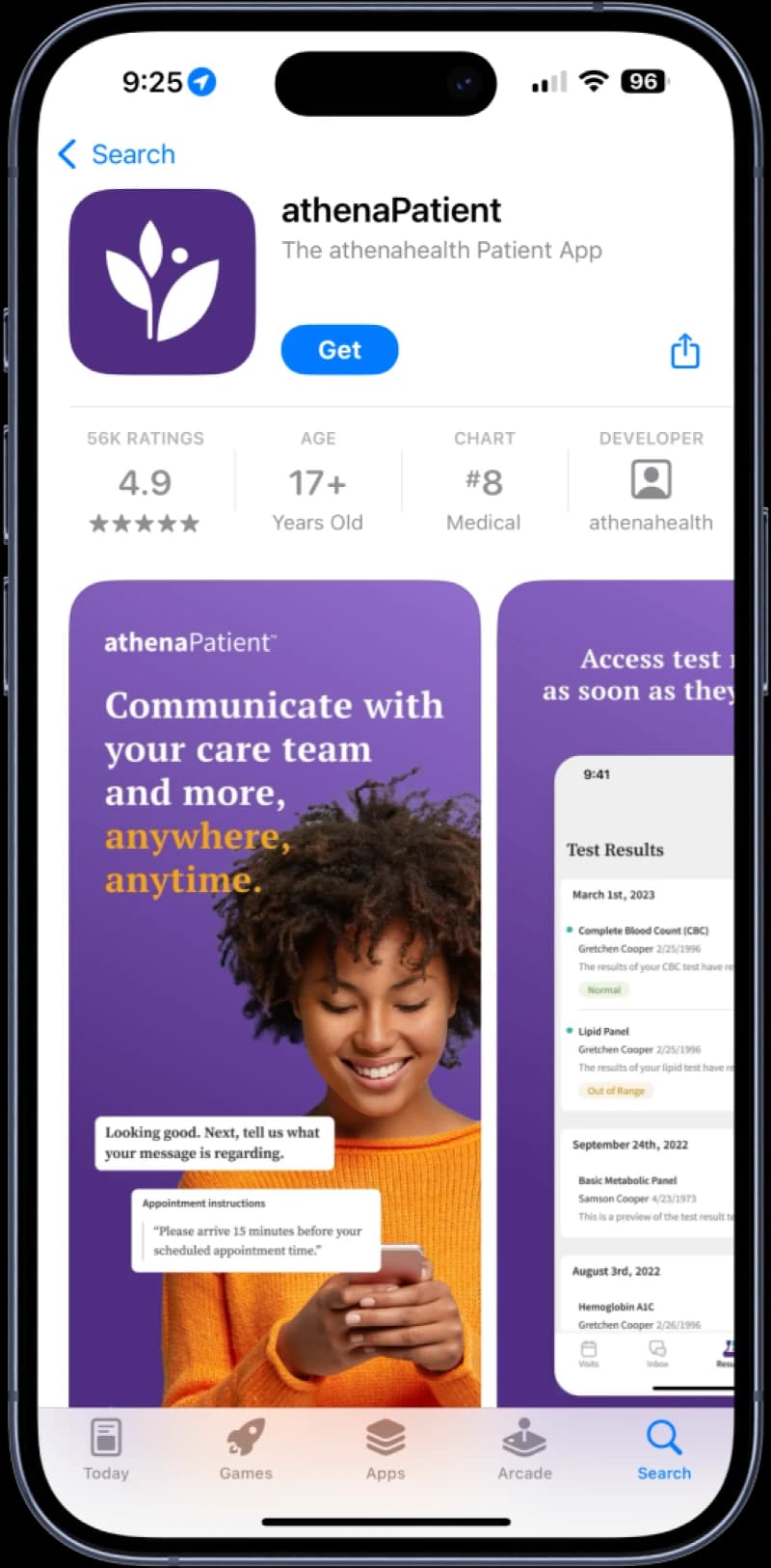
Stay connected to your MyBookmarkPortal 24/7 with the athenaPatient app. You can download the app by searching “athenaPatient” in the App Store or on Google Play.
Need help? Read our FAQs below or contact Bookmark’s Patient Portal Helpdesk by calling (833) 746-8292 or emailing bookmarkportal@bookmarkmed.com.
Get Answers
Patient Portal FAQs
Please read our frequently asked questions below for support with your patient portal. If you do not find the answer you’re looking for, we encourage you to reach out to your clinician’s office, or contact our support team.
Call (833) 746-8292 or email bookmarkportal@bookmarkmed.com.

Bookmark Medical Portal for Bookmark Medical Patients:
Bookmark Medical Portal is available for patients receiving care from a Bookmark Medical Provider. To ensure you receive the right care, please select the appropriate patient portal based on your location. Each state has its own portal link for Bookmark Medical Portal, which you can find below.
- Patient Portal for Bookmark Medical Patients in MA
- Patient Portal for Bookmark Medical Patients in NH
- Patient Portal for Bookmark Medical Patients in AZ
- Patient Portal for Bookmark Medical Patients in TX
Accessing the PortalNo, this feature has been turned off for Bookmark Medical practices.
Account SetupYes. E-statement notifications, message notifications, and test result notifications are all sent to the patient via email. Patients will not know that they have a message waiting for them on the Patient Portal if they do not have an email account. The use of email helps ensure that the patient or family member receives proper notification from the practice.
Account SetupA new patient record is generated for any patient who provides information that differs from what is currently listed in athenaOne. AthenaOne is unable to match patient information with existing patient records if the provided information does not align. In the event that a duplicate account has been created, please consult a team member to facilitate the appropriate merging of the new record with the patient’s existing records in athenaOne.
Account SetupTo access your medical records, log into your patient portal and navigate to the “Medical Records” section. You can view your test results, visit history, and other important health information directly from the portal.
Portal FeaturesYes! You can access your Bookmark Medical Portal from your smartphone or tablet through a web browser or by downloading the portal mobile app.
Bookmark Medical patients, find Athena’s Bookmark Medical Portal mobile app download options below:
Portal FeaturesYes! Once you’ve logged in on your laptop, you’ll see “Prefieres el español” right at the top of every page. Just click there, and the portal will switch over to Spanish for you.
Portal FeaturesYes. Patients and other Patient Portal users can log in with the same email and password wherever they see Log in with athenahealth, including the Patient Portals of other healthcare providers that use athenahealth services.
Portal FeaturesYes, the Bookmark Medical Portal allows you to set up proxy access, which gives family members or caregivers permission to view and manage your healthcare information. You can add a proxy directly through your portal’s settings.
Family & Proxy AccessYes. Family members, such as the patient’s parent, can register for the portal to gain access to their child’s full Patient Portal account.
Family & Proxy AccessThe age of majority is what determines when a patient can have their own Patient Portal account. The age of the majority varies state by state but is most typically 18 years of age. Bookmark Medical’s age of majority is 12 years of age.
Family & Proxy AccessIf you’re having trouble logging in, use the “Forgot Password” feature on the login page for assistance. If you continue to have issues, please contact our support team for further help.
Technical SupportAccessing the PortalIf you need assistance, please contact our portal helpdesk at (833) 746-8292 or by emailing bookmarkportal@bookmarkmed.com. We are here to help with any login or portal-related issues.
Technical SupportWithout a portal invitation, Patient Portal users receive an error message when they try to log in to the practice’s Patient Portal using the log in with athenahealth button, and they must then formally register using the Sign up link on the Patient Portal landing page.
Technical SupportAccessing the PortalNo, to use the Patient Portal, patients must use a computer or mobile device with one of these supported browsers:
- Google Chrome
- Microsoft Edge (for Windows 7, Windows 8/8.1, Windows 10, and Windows 11)
- Mozilla Firefox
- Safari (for Apple devices only)
Technical SupportThe RevereConnect patient portal is no longer managed by Bookmark Medical. For any questions regarding RevereConnect, please call (888) 696-0108.
Brown Health and Hawthorn providers transitioned to their new portal, MyChart, effective August 25, 2025. For more information, visit www.brownhealth.org/mychart.
Please contact your medical provider’s office to find out more about accessing your health information.
Portal TransitionsImportant: Bookmark Medical providers are now using the new Bookmark Medical Portal, which can be accessed at www.bookmarkmedical.com/bookmark-medical-portal.
Please contact your medical provider’s office to find out more about accessing your health information.
Portal Transitions